Getting started with distribution
The key tips to start distributing your music on our platform.
To access the distribution dashboard you need to have applied and been approved by our A&R team. If you haven’t done so yet, . Once approved, we’ll email you your dashboard login.
How does the distribution platform work?
Here’s a video showing how the dashboard works:
When you play it, YouTube may use cookies.More information
The basics
Album Data
- Release Date: the release date. We recommend allowing at least 3 weeks and releasing your single, album or EP on a Friday.
- Preorder Date: the date from which fans can pre-save your single.
- Live Date: except for older singles that were already distributed, use the same date as the Release Date.
- UPC: except for older singles that were already distributed, it is generated automatically; leave it blank.
Tracks
- ISRC: except for older singles that were already distributed, it is generated automatically; leave it blank.
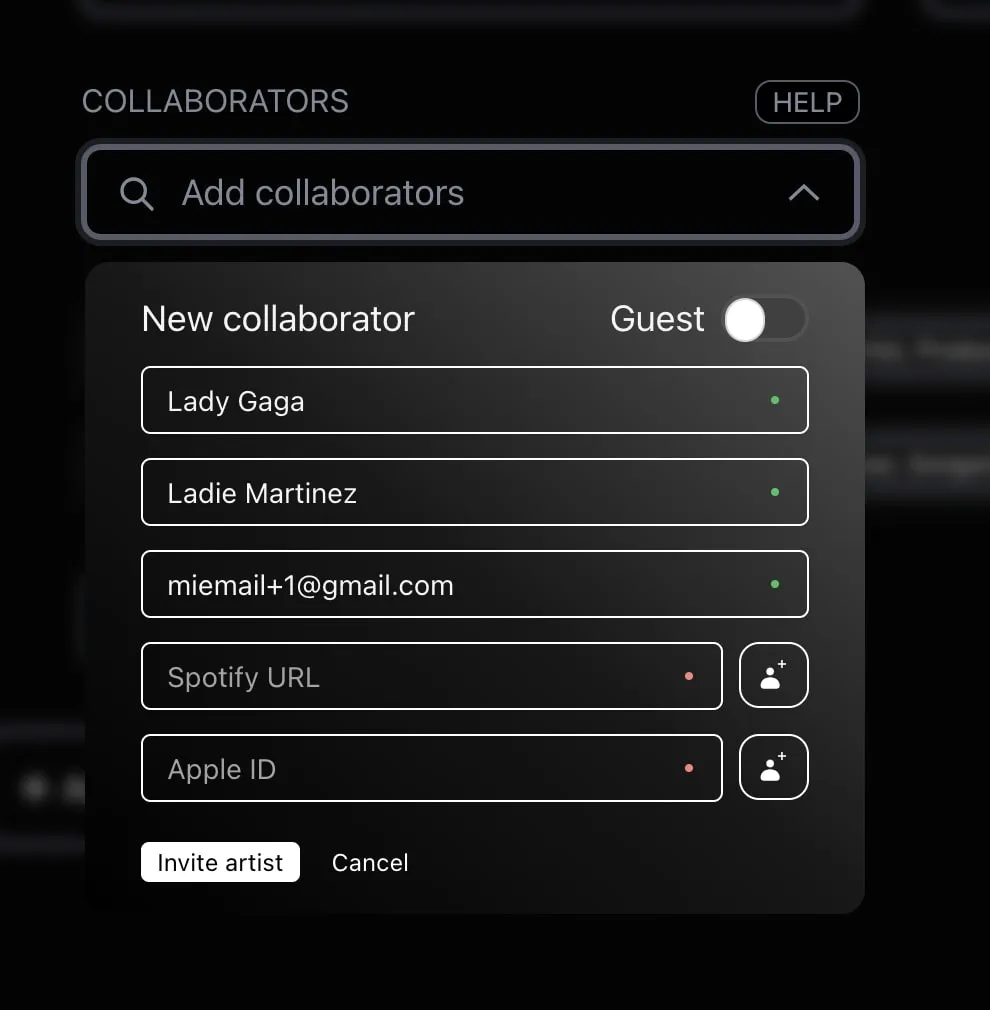
- Collaborators: add everyone involved in the single here. Make sure you distinguish between Main Artist and Guest Artist.
- Main Artist: the main artists on the song. They can join the royalty split and receive a share if you set it up.
- Guest Artist: collaborators who only appear in the credits and cannot be assigned royalties (songwriters, lyricists, producers, mastering engineers…).
⚠️ At the moment you may get an email error when creating a Main Artist, because your address is already used by your dashboard account. The temporary fix is to add+1 to the end of your address (for example, myemail+1@gmail.com); you will still receive all notifications.
What if I’m the Main Artist and also the songwriter, producer or lyricist? Just create your Main Artist profile: the platform automatically uses your artist name or your legal name depending on the role. Songwriters and lyricists use the legal name; main artist and producer use the artist name.
Advanced Mode
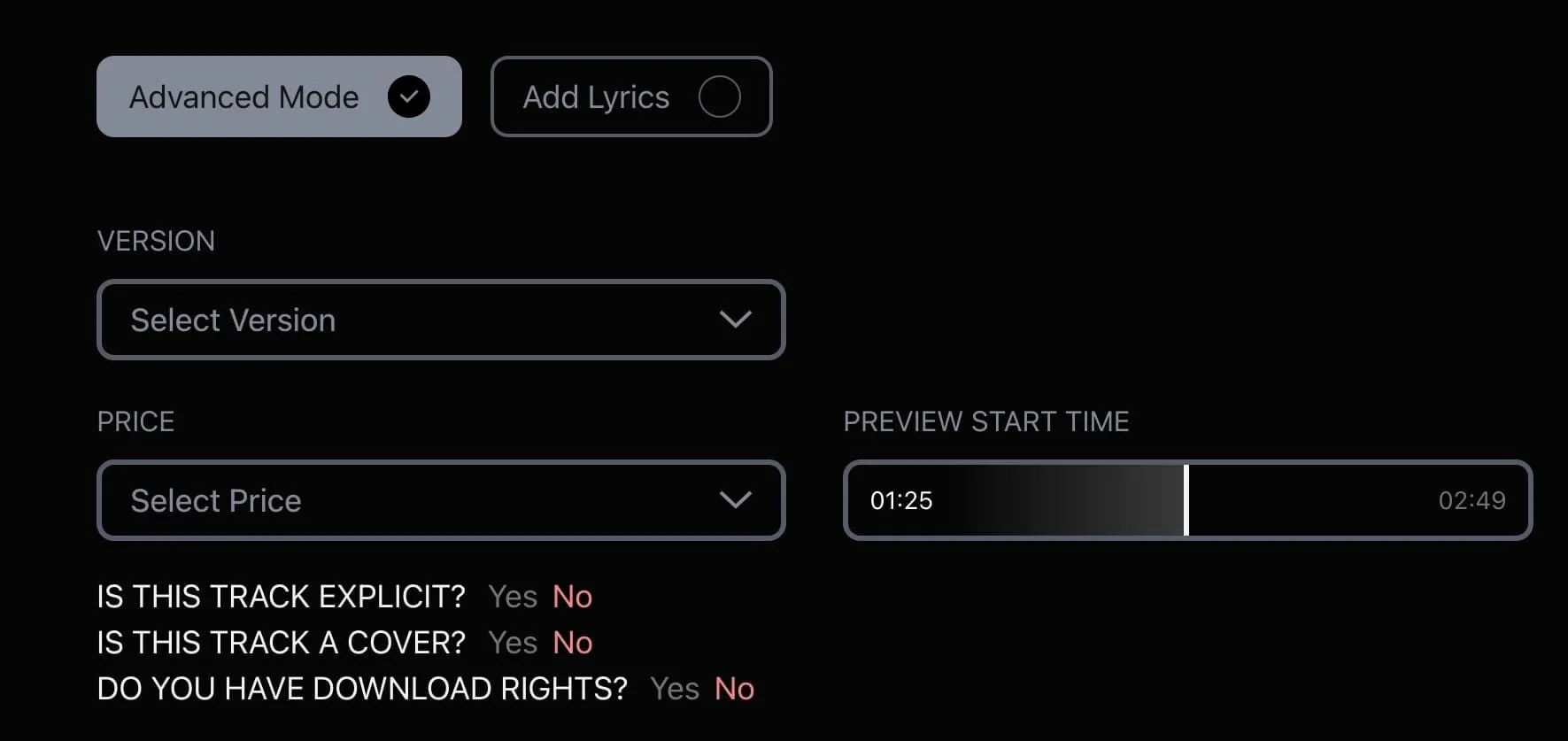
Turn it on in the Tracks tab to unlock more options:
- Version: the type of version of the single. Unless it is Acoustic, Cover or Remix, leave it unselected.
- Price: the individual price of each single; useful on an album with different prices per track.
- Preview Start Time: the second at which the song starts playing on platforms such as TikTok. It appears once you have uploaded the master.
- Explicit: whether the lyrics contain sexual content or strong language. If not, leave it set to “No”.
- Cover: set it to “Yes” if your single is a cover.
Add Lyrics: to add the lyrics. Note that lyrics don’t reach every platform: for Spotify, because of copyright, they are submitted through services such as Musixmatch.
Aggregation
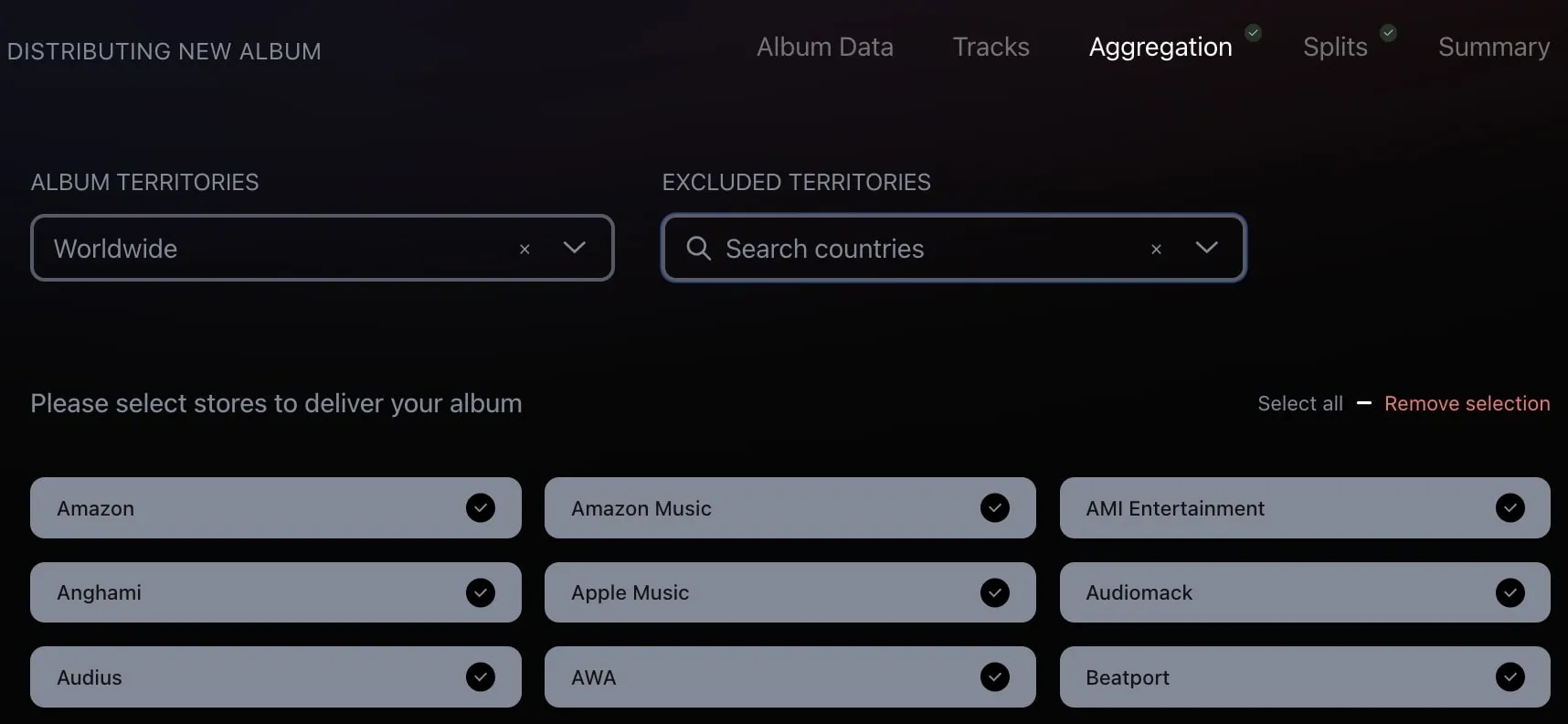
These are the stores where your song will be distributed. Usually you leave Album Territories set to “Worldwide” and tick every store with “Select all”.
Splits
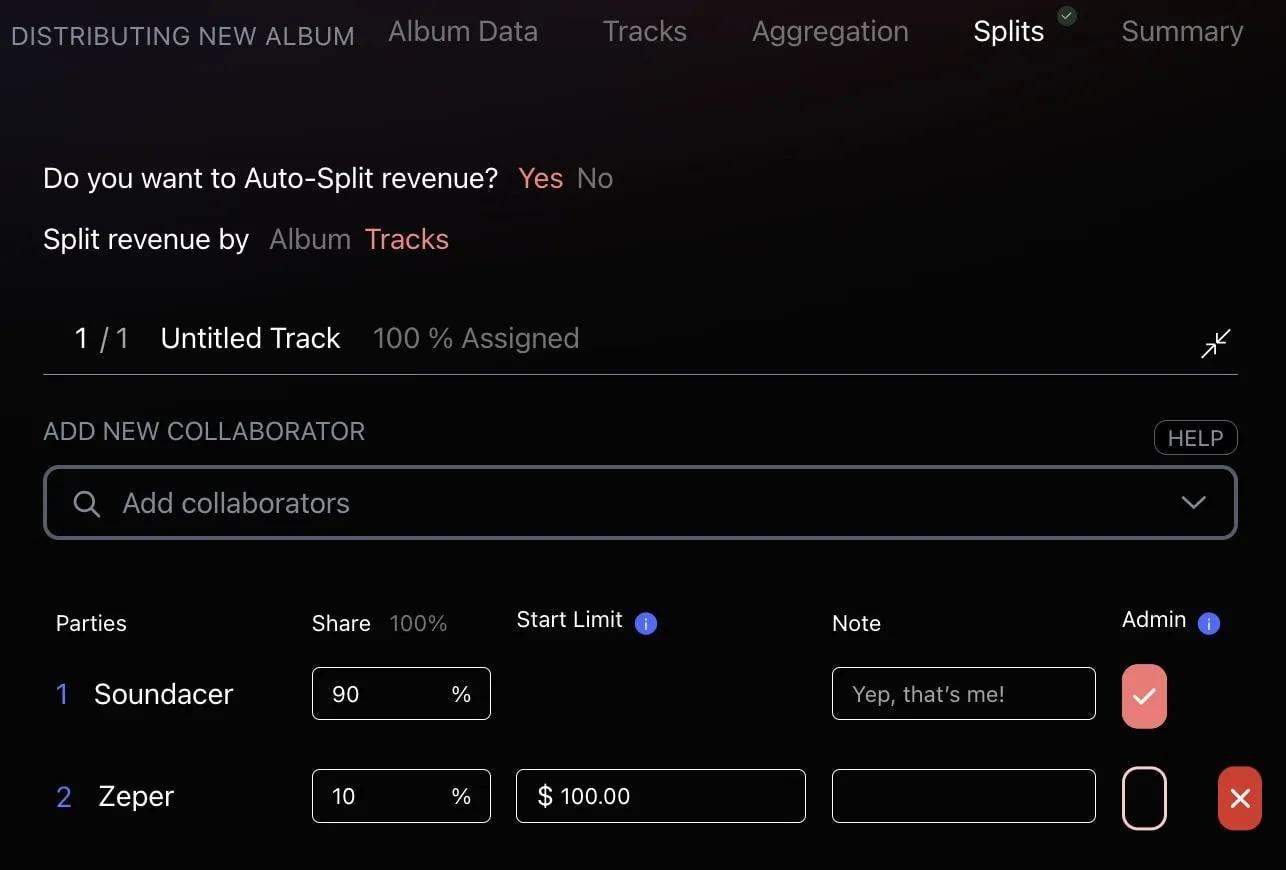
This is the royalty split: our auto-split automatically divides the royalty percentage between the collaborators on the single or album. It only works with users created as a Main Artist in the Tracks tab.
The Start Limit sets a minimum amount of royalties before a collaborator starts getting paid. For example, with a $100 Start Limit the collaborator won’t be paid until their share has generated $100; that amount goes to the main artist.